Features and functionality described on this page are available with our new Pro and Enterprise plans. Learn More... |
This tab of the parameters dialog allows you to select which variables from the input data table you would like to include in the analysis.
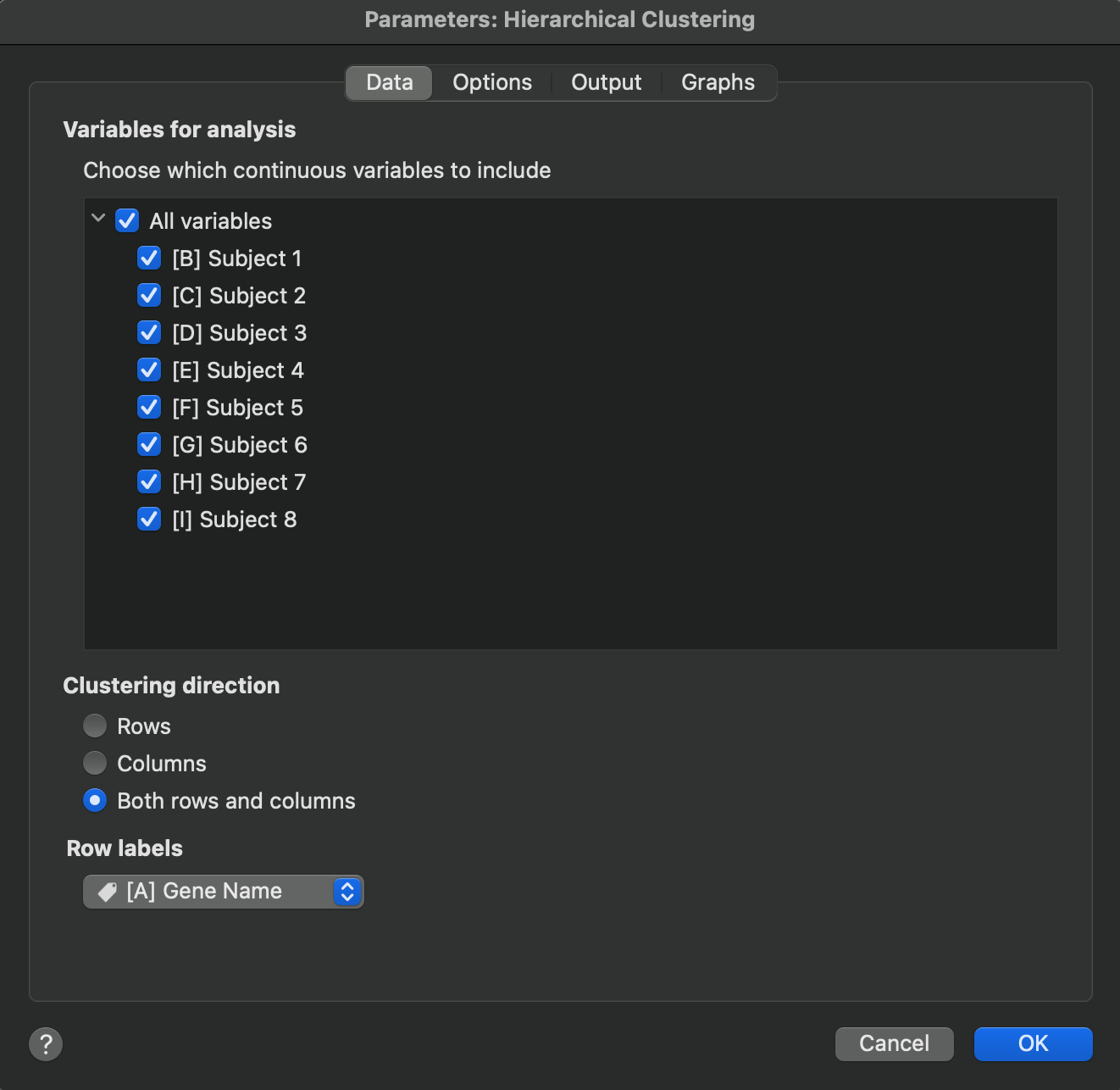
The options on this tab also allow you to specify which “direction” you would like to perform clustering. The default is to perform clustering on the rows such that the distance between each row is determined and used to define how the rows cluster together. However, Prism also allows you to perform clustering on the columns, or on both rows and columns in the same analysis. Note that if clustering is performed on both rows and columns, two clustering analyses are performed independently.
Finally, you have the option of specifying what values to use as row labels in the output of the analysis. These values will be used when generating dendrograms for row clustering or when generating a heat map of the clustered results.