




KNOWLEDGEBASE - ARTICLE #107
How can I change Prism's ruler from inches to centimeters, or from centimeters to inches?
Select between inches and centimeters on the View tab of the Preferences dialog. This changes the ruler and also the units used in several dialogs. To open the Preferences dialog using Windows, drop the Edit menu and choose Preferences.
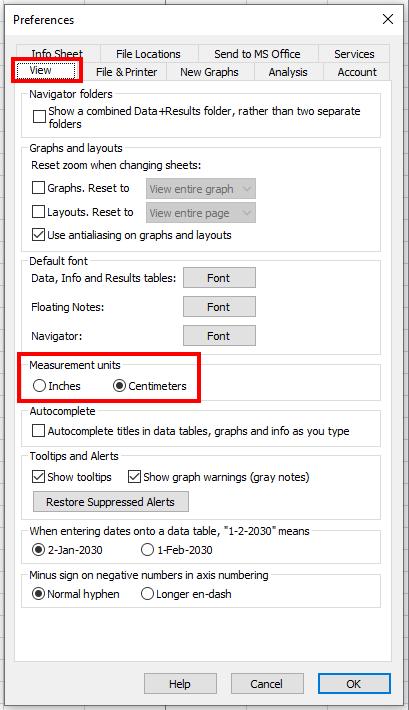
To open the preferences dialog using Mac OS, drop the Prism menu and choose Settings.
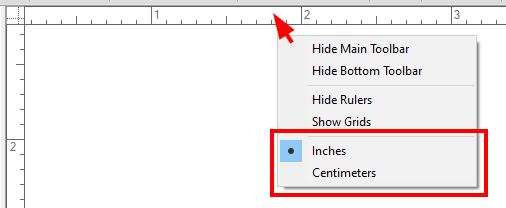
With Prism 5 and later, you can also right click on a ruler and change the units. You can show the ruler by going to View > Rulers on the menu bar.
Keywords: inches centimeters ruler