




KNOWLEDGEBASE - ARTICLE #2289
How do I reactivate Prism after upgrading to the new user based license model?
Simply sign out and sign back into Prism.
- Go to Help -> Manage License
- Click Change Activation
- Sign back in with your email address and password (Forgot it? Use the password reset option on the sign-in screen)
Once you sign back in, you will have the latest analysis, graphing, and collaboration tools, plus access to Prism on up to two devices.
Watch how to quickly activate your new plan
Step 1: Go to Help -> Manage License
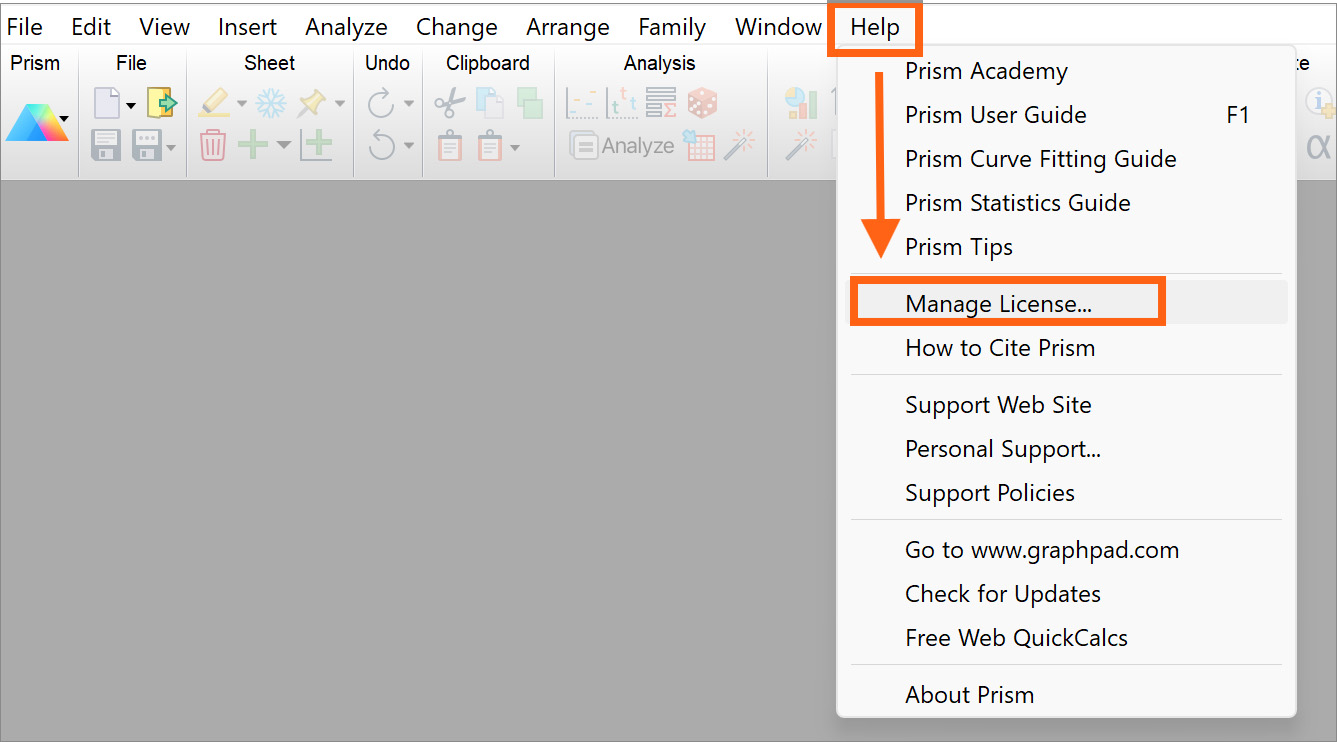
Step 2: Click change activation
If you are on the legacy model, this screen would show a partial serial number and a machine ID.
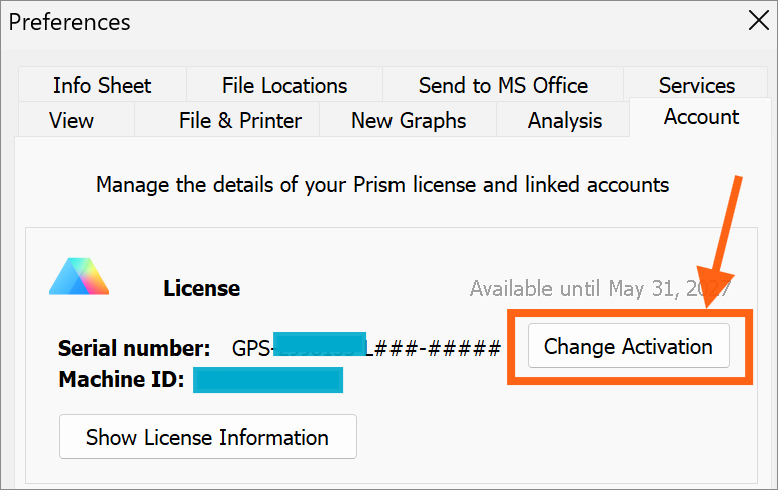
Step 3: Sign back in with your email address and password
Don't know your password? Select the password reset option on the sign-in screen.
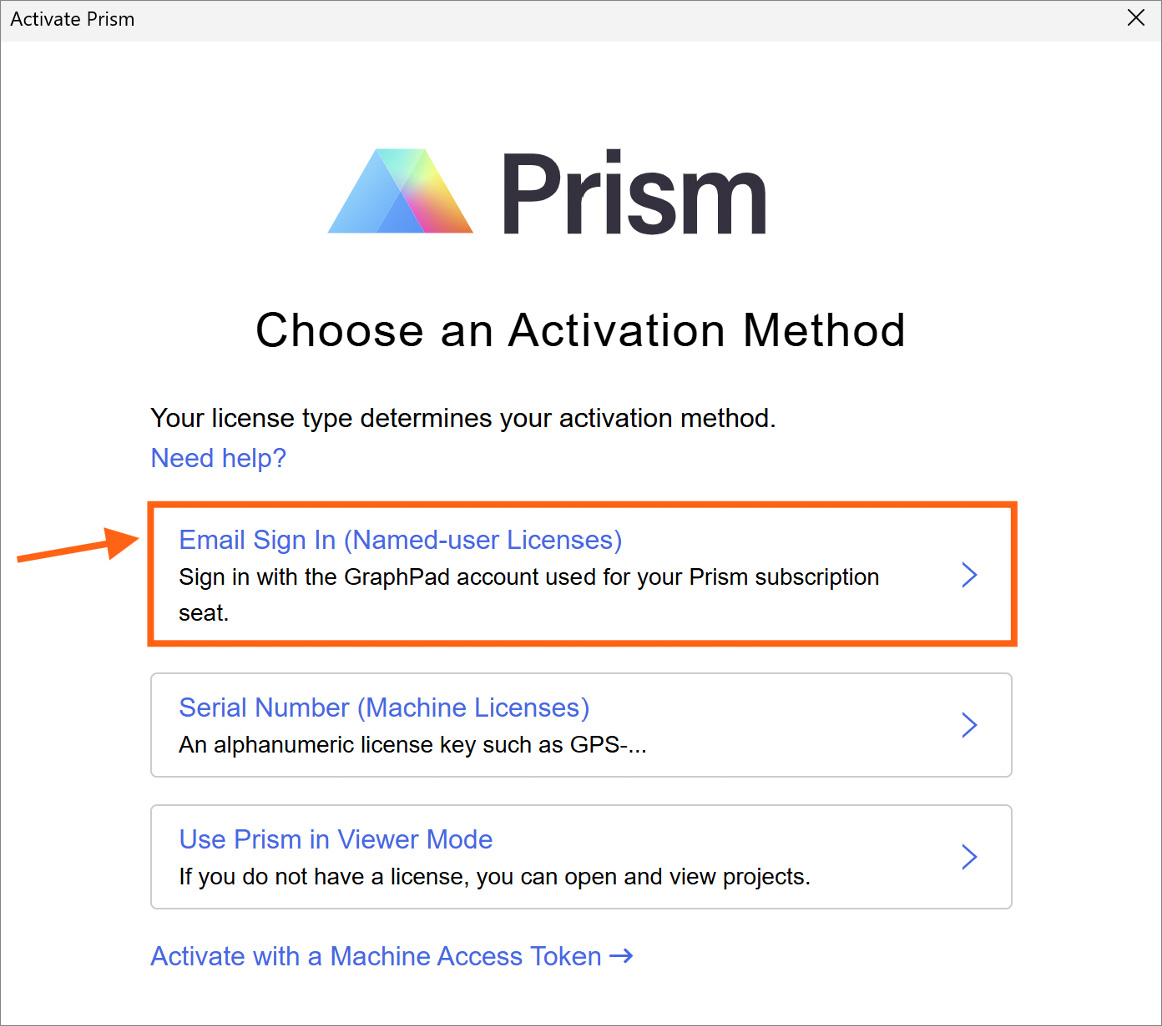
Activation: Once you login with your Prism account email and password, you instantly get access to all the benefits of your new plan, including the ability to use Prism on up to two devices. Learn more about the new GraphPad Prism plans.